Best budget gaming laptops 2025: Top affordable picks for performance
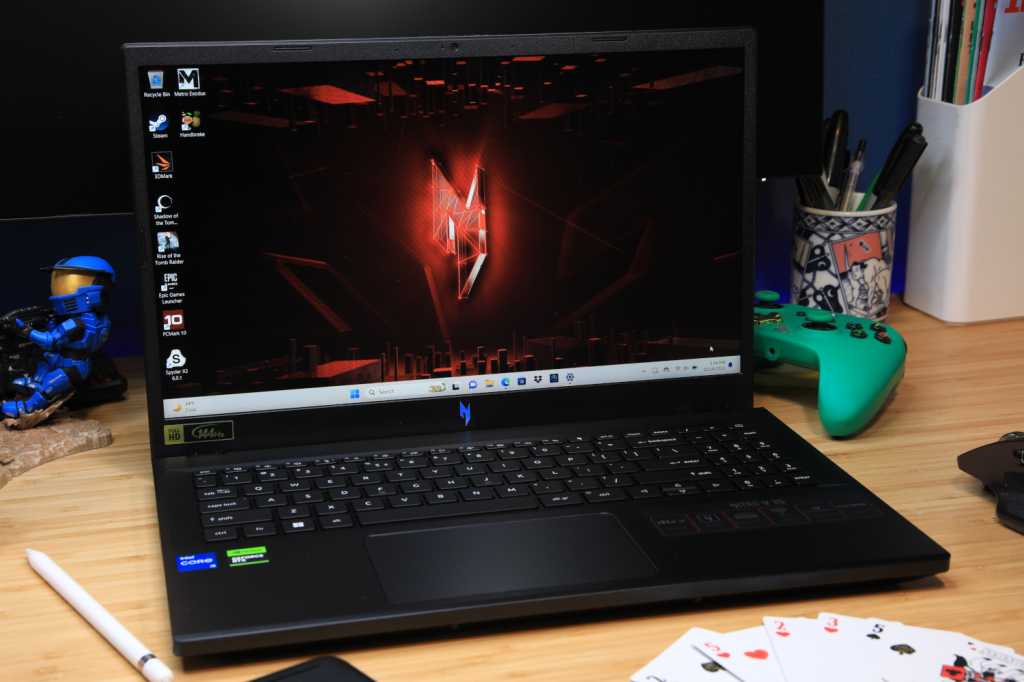
Looking for the best budget gaming laptop? We’ve tested a range of models under $1,000 and found some real standouts. Whether you care most about performance, portability, or ports, there’s something here for every type of gamer.
Acer Nitro V 16 – Best overall
Pros
- Good performance
- Competitive price
- Dedicated button for quick performance mode switching
- Fast 165Hz display with good colors
Cons
- Fully plastic build
- Mushy keyboard
- Weak battery life
Price When Reviewed:
$1,099.99
Best Prices Today:

$969.49

$1099.99
Who should buy the Acer Nitro V 16?
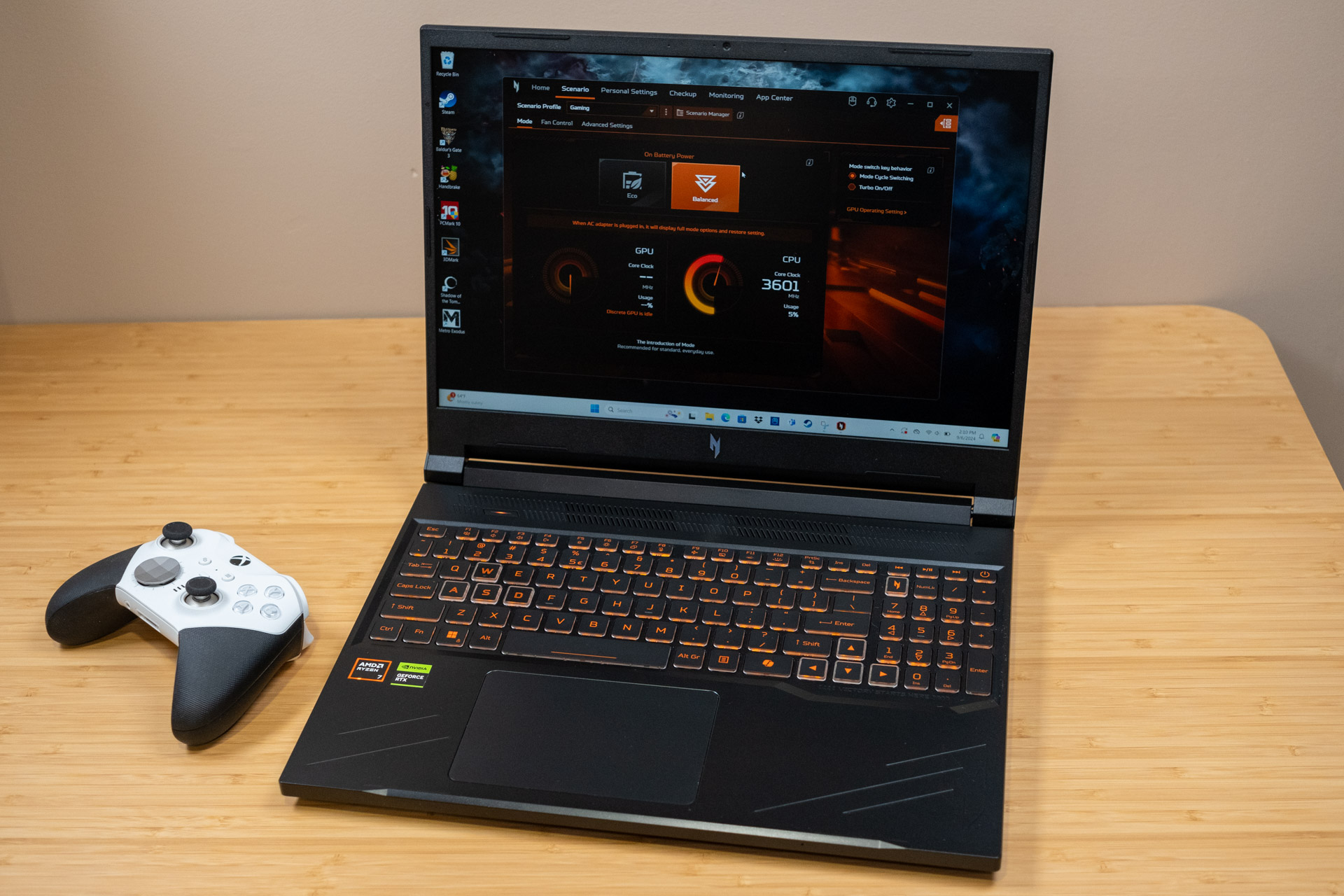
If you want a gaming laptop under $1,000 that actually performs well, the Acer Nitro V 16 is a top pick. It gets the important stuff right like respectable performance thanks to its eight-core Ryzen 7 8845HS processor and RTX 4060 GPU. The best part is that it won’t drain your wallet!
Games like Fortnite or Apex look pretty darn good on the 16-inch 1920×1200 IPS display, too. The picture is sharp and buttery-smooth thanks to the 165Hz refresh rate.
Acer Nitro V 16: Further considerations
The Nitro V 16 is pretty close to a full package. The screen’s great and the graphics are respectable. But like most gaming laptops, you’ll want to keep it plugged in for serious gaming. The battery’s decent, but don’t count on all-day play without the charger nearby.
Read our full
Acer Nitro V 16 review
MSI Thin GF63 (2023) – Most portable
Pros
- Good 1080p gaming
- Attractive backlighting
- Rugged build
Cons
- Not the most color-accurate screen
Price When Reviewed:
$852
Best Prices Today:
$939

$1149.89
Who should buy the MSI Thin GF63?
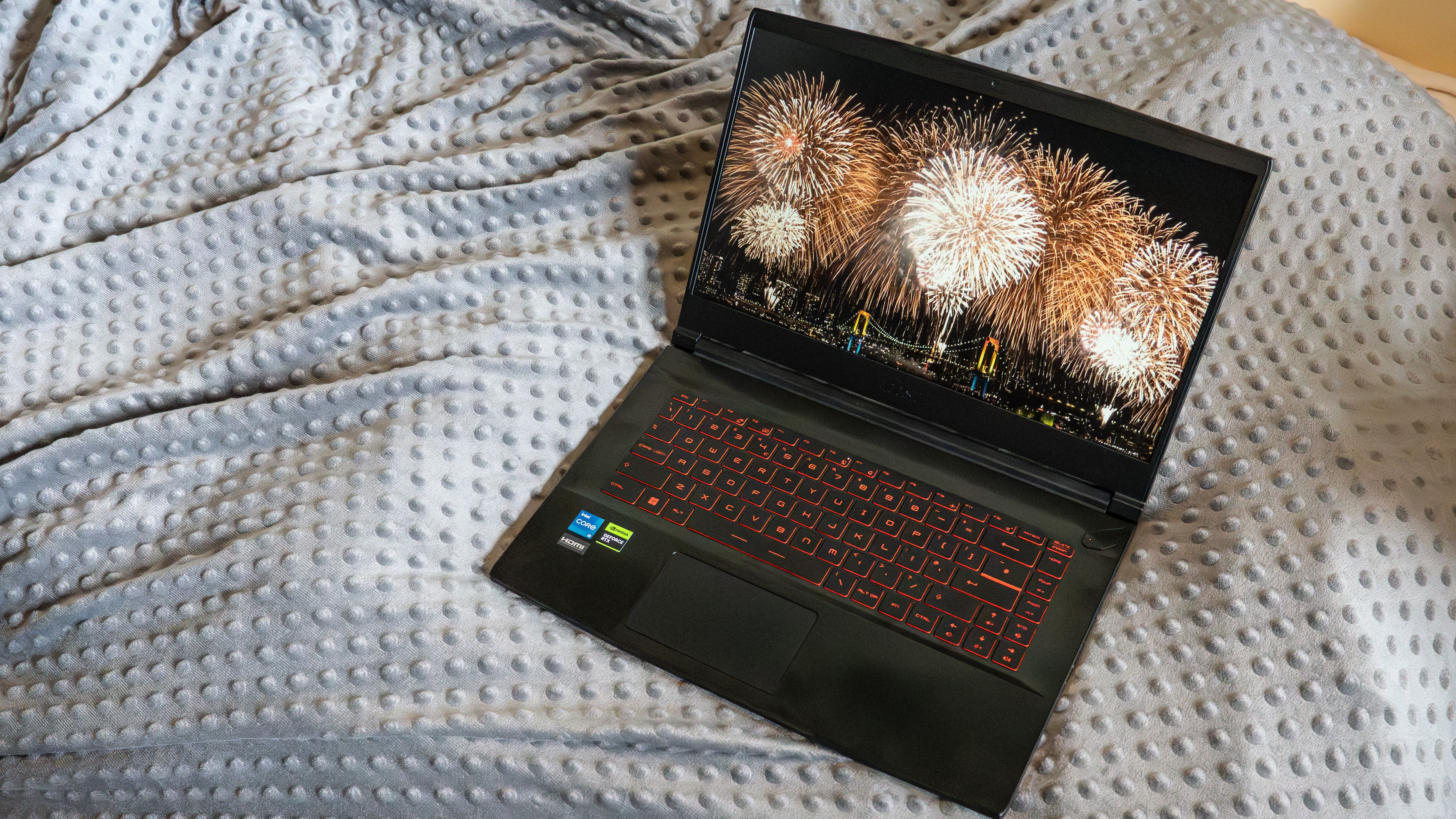
If you want a gaming laptop that won’t kill your back or your wallet, the MSI Thin GF63 could be your new go-to. It’s just over 4 pounds—which is kind of crazy for a 15.6-inch screen. Inside, it’s packing an Intel Core i5 and an RTX 4050, so it can run most games at 1080p no problem. And with a 144Hz refresh rate, everything feels nice and smooth, whether you’re playing a shooter game or just scrolling through memes.
MSI Thin GF63: Further considerations
The GF63 is light and packs a decent punch, but it’s not perfect. The battery life? Let’s just say you’ll want to keep that charger close if you’re gaming or doing anything heavy. And the build quality is on the budget end—there’s a bit of flex in the body and the keyboard’s nothing to write home about. Still, for the price, it’s a pretty sound deal.
Read our full
MSI Thin GF63 (2023) review
Acer Nitro V 15 – Best connectivity
Pros
- Good build quality
- Loads of connectivity options
- Good gaming performance
Cons
- Mediocre display
- Small amount of RAM
Price When Reviewed:
$849.99
Best Prices Today:
$849.99

$849.99
$899
$949
Who should buy the Acer Nitro V 15?
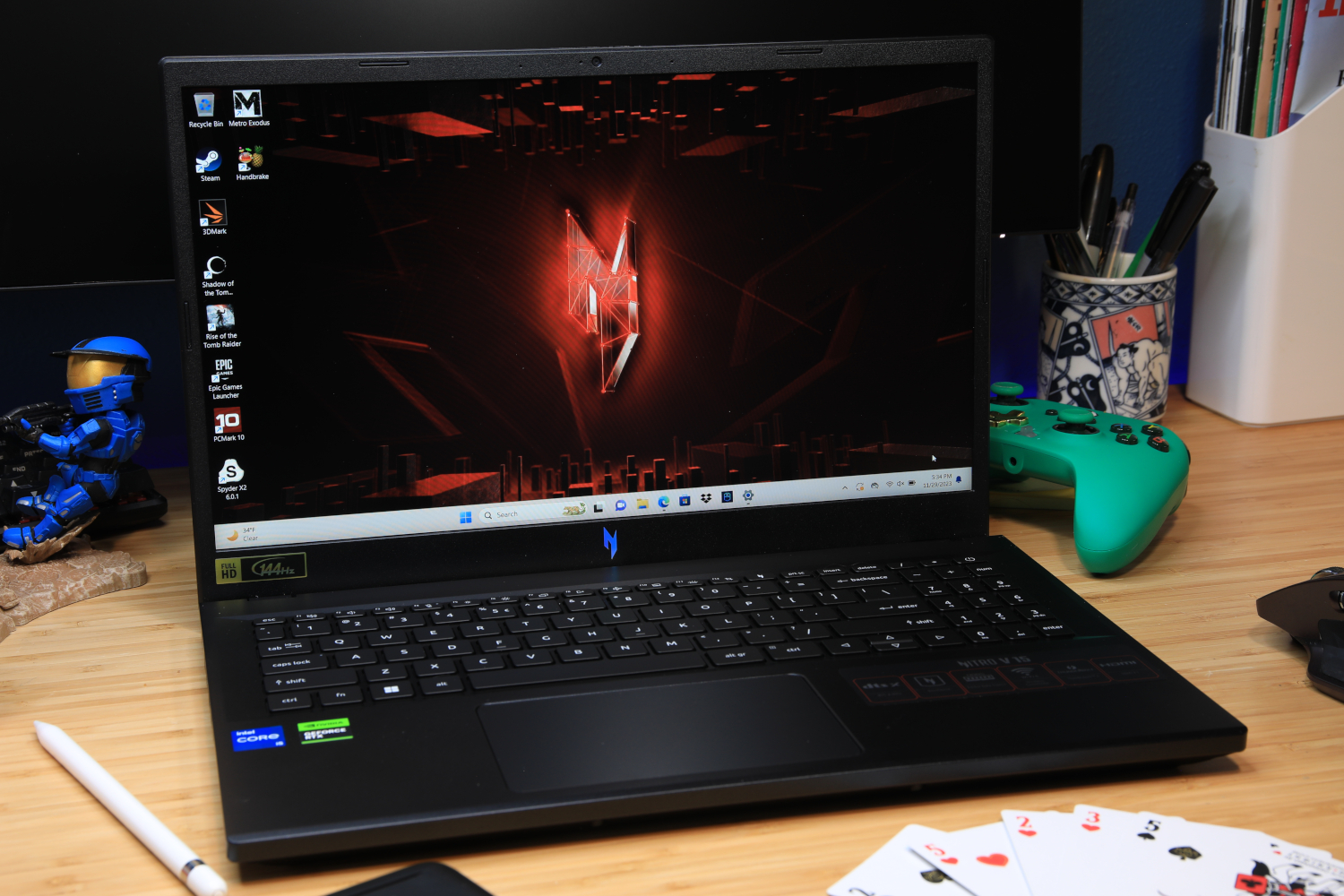
If you absolutely love your accessories (no shade here — I love using my gaming headset), then you’ll definitely want to check out the Acer Nitro V 15. You’ll find three USB-A ports, a USB-C, HDMI 2.0, Gigabit Ethernet, and even a 3.5mm audio jack. This is great if you prefer using an external mouse, keyboard, monitor, and so on. It’s got powerful hardware underneath the hood, too.
Inside it has an Intel Core i5-13420H processor and an RTX 4050 graphics card, which is an awesome combination for fluid 1080p gaming. It’s not going to run the next big game in 4K on ultra, but you can expect respectable frame rates on medium or high.
Acer Nitro V 15: Further considerations
The standout here is the connectivity, there’s no doubt about that. However, the base model comes with just 8GB of RAM, so multitasking might start looking a little sluggish if you’ve got too many tabs open. The 15.6-inch IPS 1920×1080 gets the job done, sure, but it’s not an OLED panel that produces richer-looking colors and deep contrast.
Read our full
Acer Nitro V 15 review
Other products tested
If you’re on a budget under $1,000, these gaming laptops didn’t make the top pick list, but are still pretty awesome. The Dell G15 and Lenovo LOQ 15 both deliver reliable performance for casual gaming without emptying your wallet. They might not have all the bells and whistles of pricier models, but they get the job done and keep things smooth enough to enjoy your favorite games without fuss.
How we test gaming laptops
The PCWorld team puts each and every Windows laptop through a series of benchmarks that test GPU and CPU performance, battery life, and so on. The idea is to push the laptop to its limits and then compare it against others we’ve tested. Chromebooks, on the other hand, go through a series of web-based tests.
For a much deeper look at our review methodology, check out how PCWorld tests laptops.
Why should you trust PCWorld for laptop reviews and buying advice
It’s in our name! PCWorld prides itself on laptop experience and expertise. We’ve been covering PCs since 1983, and we now review more than 70 laptops every year. All of the picks below have been personally tested and vetted by our experts, who’ve applied not only performance benchmarks but rigorous usability standards. We’re also committed to reviewing PC laptops at every price point to help you find a machine that matches your budget.
Who curated this article?
Hi, I’m Ashley Biancuzzo, and I oversee all laptop and Chromebook coverage at PCWorld. While you’ll see me review Chromebooks on occasion, I’m also really into the broader world of consumer tech. I spend a lot of time writing and thinking about where laptops are headed–from AI and sustainable designs to long-term trends. When I’m not deep in the world of tech, you’ll probably find me gaming, getting lost in a good book, or chilling with my rescue greyhound, Allen.
How to choose the best gaming laptop under $1,000
The first question you should ask yourself is this: What type of games are you into? Do you like relaxing games like Stardew Valley? Or are you pushing pixels in Cyberpunk 2077? Maybe you also need something that can handle school or work. The good news is you can get a great machine for under $1,000; you just have to be smart about where your money goes.
GPU (graphics card)
The GPU’s like the gaming laptop’s heart—it powers all the graphics. You usually can’t upgrade it, so make sure you pick one strong enough for your games.
- RTX 4050 – Good for 1080p gaming on Medium to High settings.
- RTX 4060 – Even better. Smooth gameplay on High or Ultra settings.
- RTX 3060 – Older, but still handles 1080p like a champ.
- RTX 3070 / 3070 Ti – Rare under $1,000, but a steal if you can snag one.
- RTX 3050 / 3050 Ti – A step up from entry-level, but starting to show their age.
- GTX 1650 – Very basic. Okay for older or lighter games, but not great for anything demanding.
CPU (processor)
If the GPU is the beating heart, then the CPU is most definitely the brain, as it’s responsible for the decision making. The CPU also isn’t typically upgradeable, so it’s worth getting one that’ll hold up over time. When comparing options, go for the chip with newer architecture or higher boost clock speeds, as it’ll usually offer better long-term performance.
- Spring for at least an Intel 13th- or 14th-gen Core i5/i7 or an AMD Ryzen 7000 series chip.
- Newer Ryzen models with RDNA 3 integrated graphics (like the 7840HS or 8845HS) are great if you’re skipping a dedicated GPU.
- More cores and threads help with multitasking, streaming, and heavier games.
AMD’s latest Ryzen AI chips (part of the Strix Point and Hawk Point families) bring a few extra perks:
- Offers strong multi-core performance, ideal for more demanding workloads.
- NPUs (Neural Processing Units) are designed to exclusively handle AI-related tasks like background effects. The offloading of those tasks from the CPU and GPU helps to improve overall performance.
RAM
- 8GB is the minimum, but 16GB is ideal and usually worth the upgrade.
- RAM is often upgradable later, but not always, so check before you buy.
Storage
- Aim for at least 512GB SSD.
- SSD also load games faster and many laptops let you add more storage later.
Display
- Most budget gaming laptops come with 1080p screens, usually 60Hz or 144Hz.
- 144Hz is preferred for smoother gameplay.
- If the built-in screen is dim or lacks color punch, an external monitor is always an option.
Battery life
- Gaming laptops aren’t known for marathon battery life.
- Expect four to six hours tops.
- They’re heavier too due to all that cooling hardware.
FAQ
What is the best gaming laptop under $1,000?
If you’re after the best gaming laptop under $1,000, the Acer Nitro V 16 is a good choice, offering smooth performance, a sharp 16-inch 165Hz screen, and an RTX 4060 GPU that handles modern games without breaking the bank.
What’s the difference between a gaming laptop and a regular laptop?
A gaming laptop is basically a regular laptop on steroids. It’s built with stronger graphics, faster processors, and better cooling to handle intense games, while a regular laptop is more for everyday stuff like browsing and work. So, gaming laptops can run games smoothly, but regular ones usually can’t keep up.
When is the best time to buy a gaming laptop?
The best time to grab a gaming laptop is during big sales like Black Friday or back-to-school deals when prices drop and you can score some sweet discounts.
Can Chromebooks handle gaming?
Chromebooks can handle web games and Android apps just fine, but AAA titles? Uh, not really. At least not locally. However, cloud gaming lets you play those AAA titles on a Chromebook via a streaming service. You’ve got to sign up for a streaming service like GeForce Now to play those types of games, though.
Can you play games on integrated graphics?
You totally can! Intel Iris Xe and AMD RDNA 3 can handle newer games at 1080p on low settings pretty smoothly.
What’s the best laptop size for gaming?
If you’re always on-the-go, spring for a lighter 13- or 14-inch. If you plan on keeping your laptop most of the time, 15- or 17-inch laptops give you more power and a larger screen—just a bit heavier. Easy!