Best free backup software and services
Finding a good free backup solution is easier than you’d think. A host of companies offer free online backup or free backup software—and perhaps surprisingly, nearly all of them are quite competent.
Of course these companies have ulterior motives. Their free versions usually only provide enough storage for essential data, or lack some advanced features that pros would want. They hope you’ll love the program or service so much, or find it so useful that you’ll eventually fork over some cash for additional storage or those advanced features.
But wait, you say: I have free online storage through Apple’s iCloud or Google Drive, or Microsoft OneDrive. Then there are services like Dropbox, with 2GB for free.
The issue with all those services is that they’re not necessarily true backup, but syncing. That is, when you delete a file from any device or online, it’s deleted from every device. Lord help you if you make a mistake and don’t realize it in time. True backup means retaining data indefinitely no matter what’s happening with the data elsewhere.
Read on for our top picks in free online backup and free backup software, and of course the reasons we picked them. If you find yourself needing more features, more storage, or less ads and nags, see our roundups of paid options for best Windows backup software and best cloud backup services.
1. Backupper 6 Standard – Best free backup software
Pros
- Top-notch, easy interface
- File backup and sync, plus imaging in one program
- Free version that covers the basics
Cons
- Imaging wasn’t bulletproof on all our test machines
- Doesn’t back up to online repositories
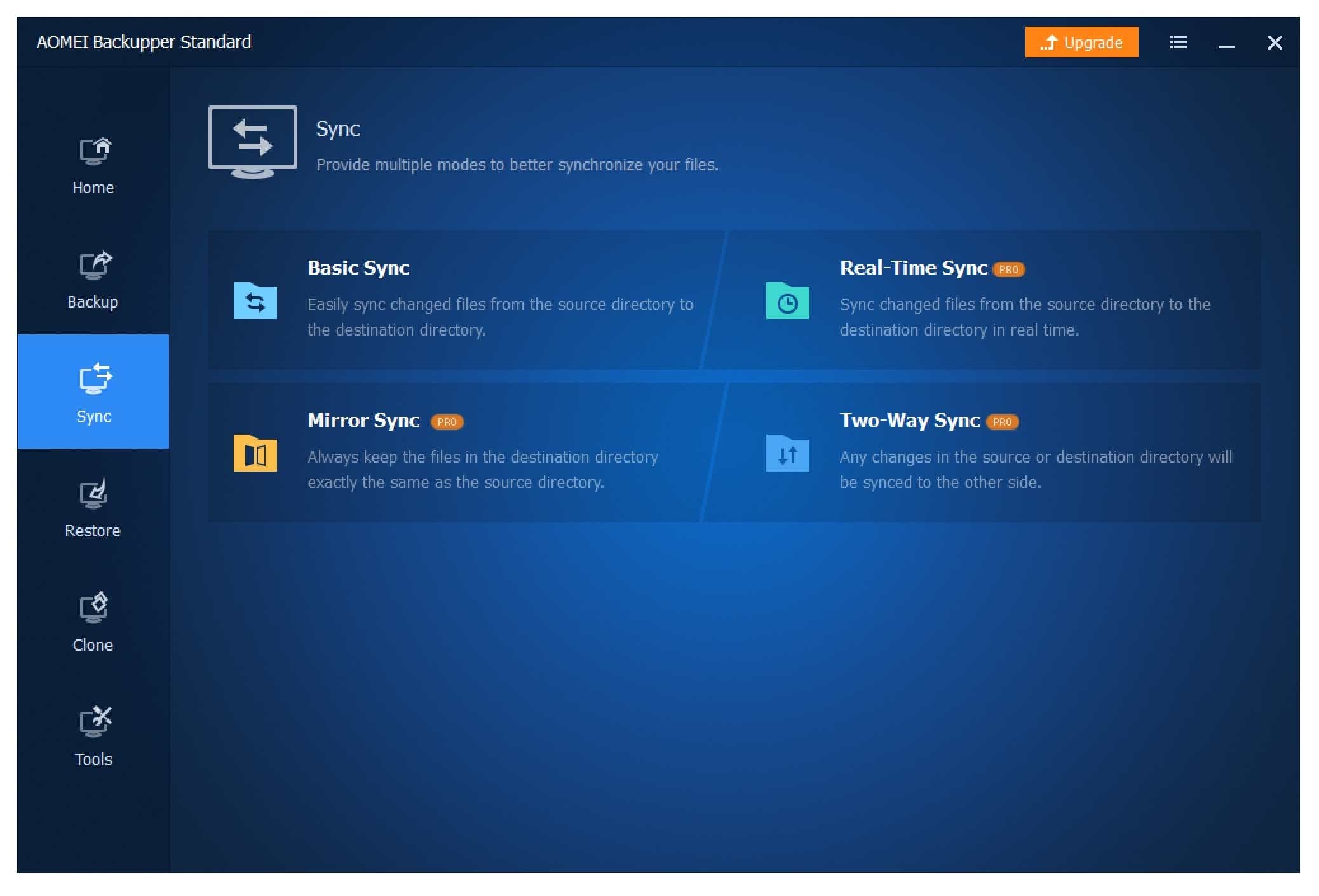
Among the free programs we’ve tested, Aomei Backupper Standard wins primarily because it has the most features, including imaging, file backup, disk cloning, and plain file syncing, plus multiple scheduling options. In addition to that, the layout and workflow are intuitive and easy enough for even a backup newb to understand.
Read our full
Aomei Backupper 6 Standardreview
2. iDrive Online Cloud Backup – Best free online backup
Pros
- Online and local backup in the same job
- Supports multiple PCs and devices on the same account
Cons
- One of the pricier services, beyond the free version, though justifiably so
There’s no more complete online backup storage service than iDrive. The free “basic” plan with 5GB of storage retains the features of the pay plans.
The iDrive service comes with backup clients for nearly every PC and device, including Windows Phone—a rarity these days. The company provides additional storage for syncing all your devices and PCs, allows sharing of files with anyone, and has the ability to back up to a local drive. The company also has several affordable pay plans.
Read our full
iDrive Online Cloud Backupreview
3. Windows File History – Best free Windows backup
Pros
- Excellent continuous data protection with versioning
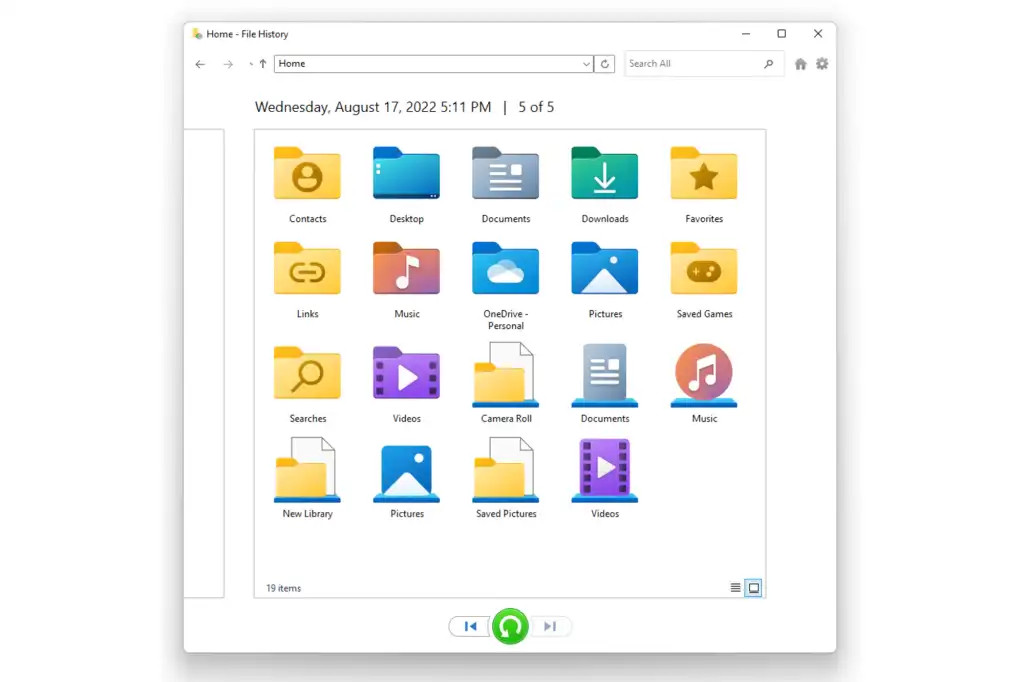
- Easy, timeline browsing of backed-up files
- Integrated into Windows
- Backs up user-created libraries
Cons
- Easy “Add folder” function removed from Windows 11
Windows File History is the easiest and cheapest (free) continuous data protection software for Windows bar none. It makes backing up your data a no-brainer with its set-it-and-forget-it way of storing data and keeping automated backups.
While Microsoft has made some dubious decisions recently in regards to updates of the File History software, it still remains the best around. In fact, it’s so good that few Windows users will need anything more.
Read our full
Windows File History backupreview
How we test free backup software and services
Backup software: We run each program through the various types of backups it’s capable of. This is largely to test reliability and hardware compatibility, but we time two: an approximately 115GB system image (two partitions), and a roughly 50GB image created from a set of smaller files and folders. We then mount the images and test their integrity via the program’s restore functions. We also test the USB boot drives created by the programs.
Online services: The performance of online backup services will vary according to their location and the network equipment between you and the data depository. We installed the software and backed up the same 2GB data set to check for any major issues or glitches in the client software. These are noted in the reviews.
What to look for in free backup products
Online storage and backup services
Capacity: Obviously, you’ll need as much storage as you have data, plus a little, or possibly a lot, more if you want to track changes and save previous versions of files. Some services keep multiple versions of files, some don’t. In many cases there’s a time limit.
Cost: Nearly all online services charge for a maximum allowable amount of data, and generally uploads are free. Aside from the free tiers available from a service like Dropbox, pricing is fairly consistent across services, though you definitely get more capacity for your money from some vendors, notably Backblaze.
However, there may be additional charges or limitations on downloads. For instance, Amazon’s Glacier is intended solely for backup and archiving. It’s very cheap per GB and uploads are free, but you’re charged for downloading—a service you hopefully will never need.
Features: In addition to backup, you may want to share your files with others, work with them from mobile devices, or even edit them with office applications such as those available with Dropbox, Google, and OneDrive. If you do intend to work online, we recommend that you maintain a local copy as backup, and a hedge against internet downtime.
OS and device support: Most services provide client backup software for the major operating systems (Linux, OS X, and Windows) and both Android and iOS. Make sure the service you sign up for supports all of your platforms. Note: iDrive even supports Windows Phone.
Privacy: If you’re concerned about the privacy of your data, make sure you use a service that allows the use of a personal encryption key that you define. Do NOT lose it, as it is absolutely required to restore your data. Sadly, using your own key often limits the types of services (e.g., no mobile backup) available.
If private encryption keys aren’t available, read the privacy policy, especially with the free services—there are significant differences.
Reliability: Generally speaking, data centers are backed up to the hilt. Some of the larger ones even back up to different geographical locations. Availability (hopefully 24/7) can also be important. Check for news of outages and the vendor’s own service blogs. If there are too many outages in service, buy accordingly. In truth, all the services we’re aware of are near-100-percent reliable.
Speed: Speed, in many cases, is far more dependent upon your broadband connection than that of the online service, though the geographical location of the storage and the equipment in between can make a significant difference. Check the location of the data servers if speed is important to you. Or, just give the trial a whirl and see if you can live with it.
Backup software
As with most things, don’t over-buy backup software. Features you don’t need add complexity and may slow down your system. Additionally, if you intend to back up to a newly purchased external hard drive, check out the software that ships with it. Seagate, WD, and others provide backup utilities that are adequate for the average user.
And of course, while we describe the features to look for, you’re going to find fewer of them in free software. That’s life in the cheap lane.
File backup: If you want to back up only your data (operating systems and programs can be reinstalled, though it’s mildly time- and effort-consuming), a program that backs up just the files you select is a major time-saver. Some programs automatically select the appropriate files if you use the Windows library folders (Documents, Photos, Videos, etc.).
Image backup/Imaging: Images are byte-for-byte snapshots of your entire hard drive (normally without the empty sectors) or partition, and can be used to restore both the operating system and data. Imaging is the most convenient to restore in case of a system crash, and also ensures you don’t miss anything important.
Boot media: Should your system crash completely, you need an alternate way to boot and run the recovery software. Any backup program should be able to create a bootable optical disc or USB thumb drive. Some will also create a restore partition on your hard drive, which can be used instead if the hard drive is still operational.
Scheduling: If you’re going to back up effectively, you need to do it on a regular basis. Any backup program worth its salt allows you to schedule backups.
Versioning: If you’re overwriting previous files, that’s not backup, it’s one-way syncing or mirroring. Any backup program you use should allow you to retain several previous backups, or with file backup, previous versions of the file. The better software will retain and cull older backups according to criteria you establish.
Optical support: Every backup program supports hard drives, but as obsolete as they may seem, DVDs and Blu-ray discs are great archive media.
Online support: An offsite copy of your data is a hedge against physical disasters such as flood, fire, and power surges. Online storage services are a great way to maintain an offsite copy of your data. Backup to Dropbox and the like is a nice feature to have.
FTP and SMB/AFP: Backing up to other computers or NAS boxes on your network or in remote locations (say, your parent’s house) is another way of physically safeguarding your data with an offsite, or at least physically discrete copy. FTP can be used for offsite, while SMB (Windows and most OS’s) and AFP (Apple) are good for other PCs or NAS on your local network.
Real time: Real-time backup means that files are backed up whenever they change, usually upon creation or save. It’s also called mirroring and is handy for keeping an immediately available copy of rapidly changing data sets. For less volatile data sets, the payoff doesn’t compensate for the drain on system resources. Instead, scheduling should be used.
Continuous backup: In this case, ‘continuous’ simply means backing up on a tight schedule, generally every 5 to 15 minutes, instead of every day or weekly. Use continuous backup for rapidly changing data sets where transfer rates are too slow, or computing power is too precious for real-time backup.
Performance: Most backups proceed in the background or during dead time, so performance isn’t a huge issue in the consumer space. However, if you’re backing up multiple machines or to multiple destinations, or dealing with very large data sets, speed is a consideration.
Any backup is better than no backup
Free or paid, we highly recommend that you back up at least your essential data against theft, malware or ransomware, and natural disasters, not to mention user error. Even if you work online, a local backup is a lot quicker to restore. And this goes beyond PCs: We get a lot of emails asking how to get data back from a stolen phone—the users generally don’t like the answer.